
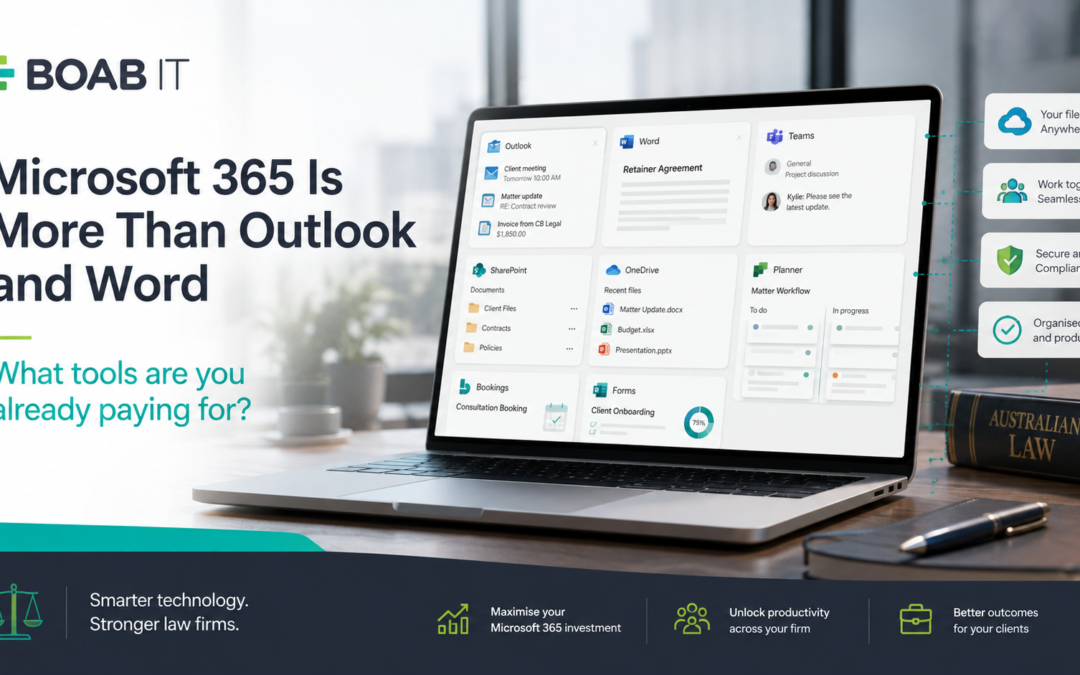
For many law firms, Microsoft 365 means Outlook, Word and Excel.
They are the tools staff use every day, so it is easy to forget that a Microsoft 365 subscription can include a much broader set of business tools.
Depending on your licence, your firm may already have access to cloud storage, document collaboration, task management, online booking and forms.
The question is: are you actually using what you are paying for?
OneDrive: More Than Cloud Storage
OneDrive gives each user cloud storage for their work files.
For law firms, it can make working across devices easier and reduce reliance on files stored only on a local computer.
But OneDrive is primarily designed around an individual’s files. When documents need to be shared and managed across a team, that is where SharePoint becomes more useful.
SharePoint: A Home for Shared Firm Information
SharePoint can provide a structured location for information that belongs to the firm, rather than an individual employee.
For example:
- Firm policies and procedures
- Precedents and templates
- HR documents
- Marketing resources
- Administration files
- Shared departmental information
Instead of documents being scattered across inboxes, local drives and individual OneDrive folders, SharePoint provides a central place for staff to access shared information.
Teams: Not Just Video Meetings
Many firms use Microsoft Teams for meetings and stop there.
Teams can also bring together internal chat, meetings, files and collaboration in one place.
Used properly, it can reduce long internal email chains and provide staff with a clearer place to collaborate on projects and internal work.
The important part is structure. Creating dozens of Teams without clear rules can simply create another place for information to become lost.
Planner: Get Tasks Out of People’s Heads
Microsoft Planner provides a visual way for teams to create, assign and track tasks.
For a law firm, this can be particularly useful for work that sits outside the Practice Management System, such as:
- Office projects
- Marketing activities
- Staff onboarding
- Technology rollouts
- Compliance tasks
- Internal administration
Your Practice Management System should remain at the centre of legal matter management. Planner can complement it by helping organise the internal work surrounding the firm.
Forms and Bookings: Simple Tools Firms Often Overlook
Microsoft Forms can be used to create surveys, questionnaires and information collection forms.
This could be useful for staff feedback, event registrations, internal requests or other simple information gathering.
Microsoft Bookings provides an online booking page connected with Outlook calendars, allowing people to select from available appointment times.
Neither tool needs to replace your existing legal systems. Sometimes they can simply remove a few unnecessary emails and manual steps.
Before Buying Another App, Check What You Already Have
When a firm identifies a problem, the instinct is often to find another piece of software.
Need a task manager? Buy one.
Need an online form? Subscribe to another service.
Need appointment scheduling? Add another platform.
Sometimes that is the right decision. But before introducing another application, it is worth checking whether Microsoft 365 already provides a suitable tool.
Otherwise, firms can end up paying for overlapping software while asking staff to learn yet another system.
Having the Tool Does Not Mean You Should Simply Turn It On
There is also a downside to enabling every Microsoft 365 feature just because it is available.
A SharePoint environment without proper structure can become confusing. Teams without governance can multiply quickly. Poor permissions can expose information to people who do not need access.
Configuration, permissions, security and staff training matter just as much as the technology itself.
For a law firm handling confidential and sensitive information, new Microsoft 365 tools should be introduced as part of a properly planned technology environment, rather than enabled simply because they are available.
Are You Getting the Full Value From Microsoft 365?
Microsoft 365 should be more than the place your firm gets Outlook and Word.
Used well, the tools already available to your firm can help reduce manual work, improve collaboration and simplify the number of separate platforms your team relies on.
Boab IT works with law firms to review their Microsoft 365 environments, identify opportunities to make better use of existing tools and ensure technology is implemented securely and practically.
Before purchasing another subscription, it may be worth asking a simpler question:
Do we already have something that can do this?